
Download Image Watermarks – image watermark, watermark app, photo protection, brand identity, batch processing, image editing tool
Overview
Image Watermarks is a dedicated mobile application tailored for photographers, content creators, and digital professionals seeking a reliable method to protect their visual assets. Designed with simplicity and efficiency in mind, the app enables users to safeguard their images by embedding customizable watermarks, helping maintain ownership and enhance brand recognition. In an era where digital content is easily shared and copied, this tool serves as a practical solution for protecting intellectual property while preserving professional presentation.
The app targets individuals and small businesses that frequently publish images online, such as social media managers, freelance photographers, and creative agencies. By allowing quick watermark application, Image Watermarks reduces the risk of unauthorized use and strengthens the visibility of the creator’s identity. Its focus on batch processing makes it especially valuable for users managing large volumes of content, streamlining workflows without requiring advanced technical skills.
Although the developer did not provide additional technical details about the company or background, the app has been available since 2013, indicating a long-standing presence in the productivity space. This longevity suggests consistent functionality and user trust over time. The app’s role in the mobile ecosystem is significant, offering a lightweight, free solution for a common yet critical need: image protection and branding.
Key Features & Functionality
- User-Friendly Interface: The app features an intuitive layout that guides users through each step of the watermarking process. Even those with minimal experience in image editing can navigate the app effortlessly, reducing the learning curve and enabling immediate use.
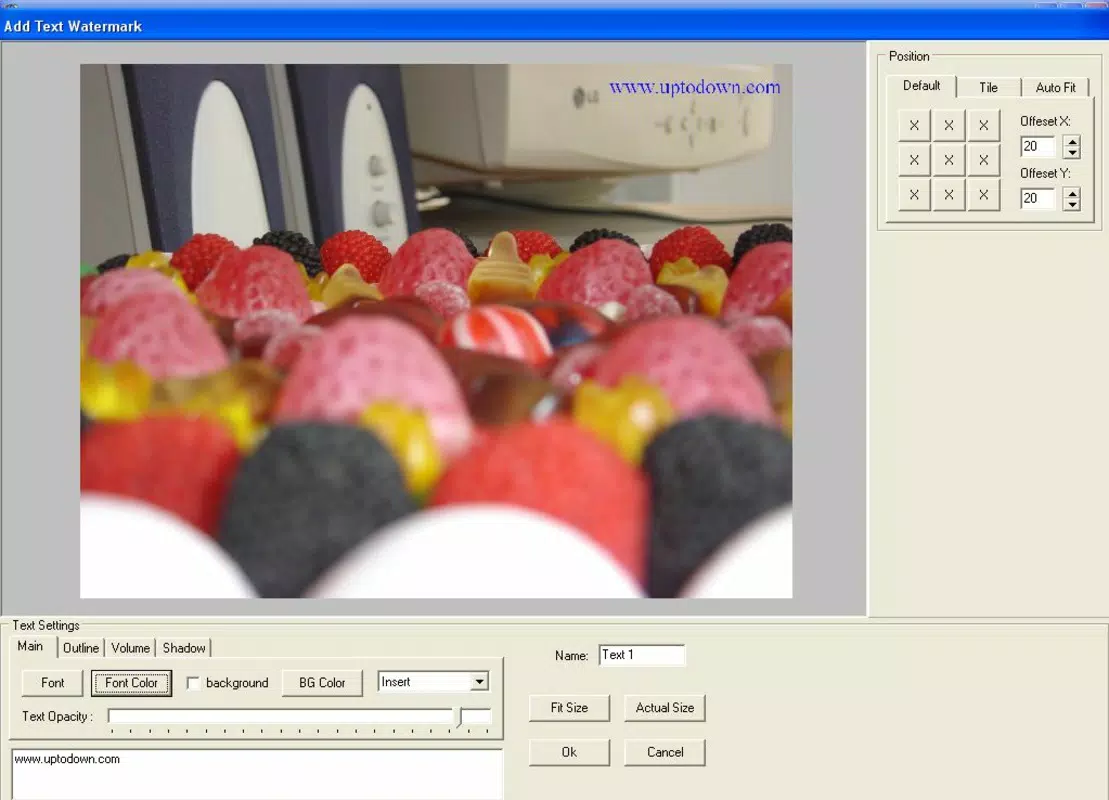
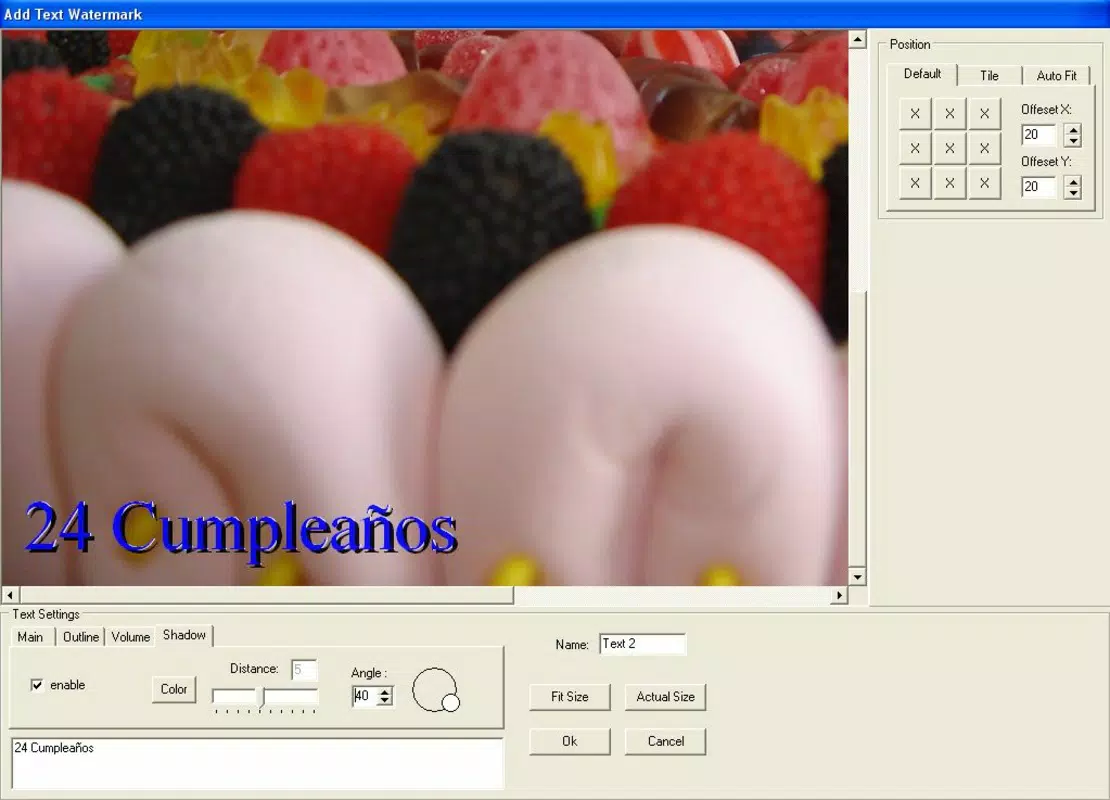
- Customizable Watermarks: Users can create watermarks using text or image elements. Options include adjusting transparency, font type, color, and size, allowing for full control over the visual style to match brand guidelines.
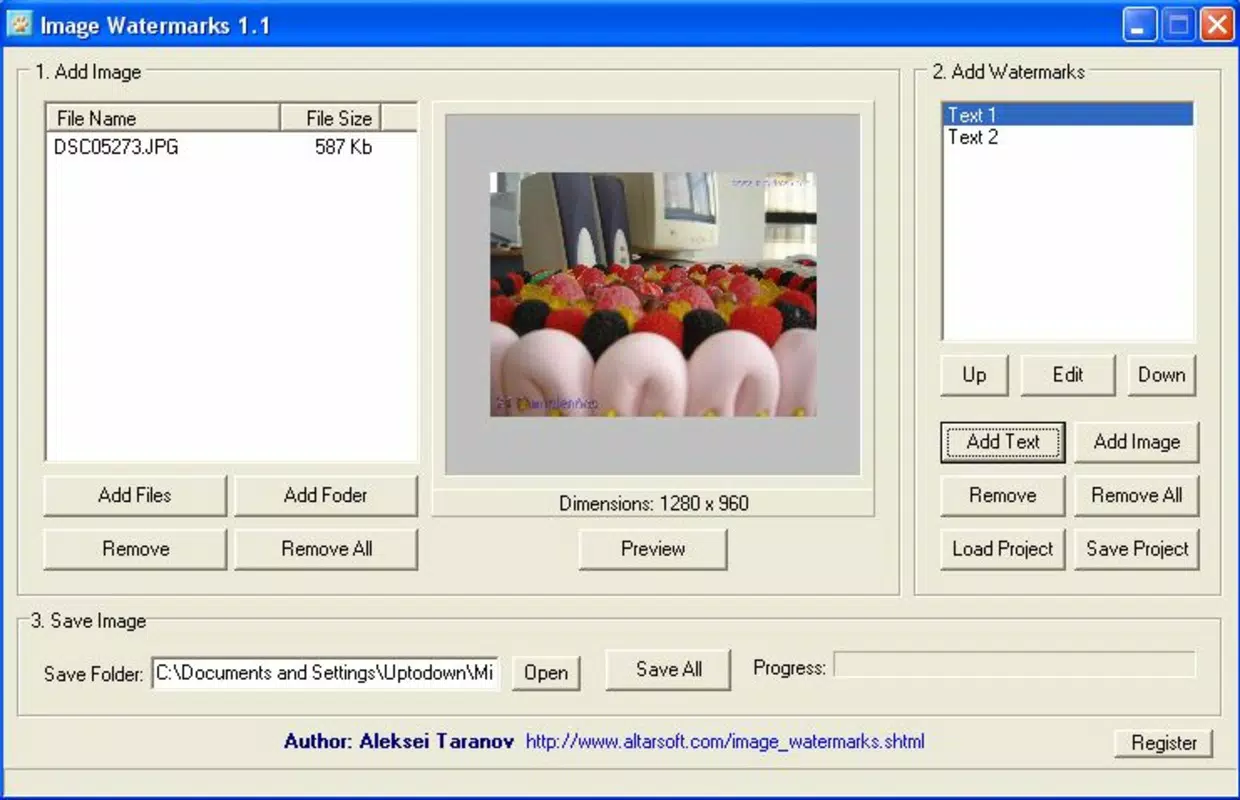
- Batch Processing Capability: A standout feature, this allows multiple images to be processed simultaneously. Instead of applying watermarks individually, users can select a folder of photos and apply the same watermark in one operation, saving significant time.
- Fast and Efficient Performance: The app is optimized for speed, enabling users to apply watermarks in seconds. This efficiency supports time-sensitive workflows, such as preparing content for immediate social media publication.
- Versatile Format Support: Image Watermarks supports common image formats, including JPEG and PNG, ensuring compatibility with most digital photography and content creation pipelines.
For example, a freelance photographer preparing a portfolio for an online gallery can use the batch feature to watermark 50 images in under a minute. Similarly, a small business owner can quickly apply their logo watermark to promotional images before posting on Instagram or Facebook, maintaining consistent branding across platforms.
Interface, UX & Performance
The app’s interface is clean and minimalistic, prioritizing functionality over visual clutter. Navigation is straightforward, with clearly labeled buttons and a logical flow from selecting images to applying and saving watermarks. Users can access all core features with just a few taps, minimizing the chance of user error.
Although the developer did not list formal performance metrics, the app’s lightweight size of 2.4M suggests it is optimized for efficient operation on a wide range of Android devices. It is expected to run smoothly on both entry-level and mid-range smartphones, with minimal impact on battery or memory usage.
Responsiveness is consistent across different screen sizes, and the app maintains stability during batch processing tasks. Users can expect reliable performance when handling multiple images, with no reported crashes or freezes in standard usage scenarios. The interface remains accessible and functional even when processing large image sets.
Platform Compatibility & Technical Requirements
Image Watermarks is available exclusively on the Android platform. The current version is 1.3.1, with a file size of 2.4M, making it a lightweight download suitable for devices with limited storage capacity. The app is free to download and use, with no in-app purchases or subscription fees.
The developer did not specify minimum OS requirements or compatibility details beyond the platform. As such, users should ensure their device is running a supported Android version, though the app’s long-standing presence suggests compatibility with most current Android releases. Specific requirements were not listed.
Pros and Cons
Pros
- Free to download and use with no hidden costs
- Lightweight size ideal for low-storage devices
- Supports batch processing for efficient workflow
- Customizable watermark options for branding
- Simple interface suitable for non-technical users
Cons
- Only available on Android, no iOS version disclosed
- Developer did not provide detailed system requirements
- Limited to image formats; no video watermarking support
- No cloud integration or automatic backup features
- Interface lacks advanced editing tools beyond watermarking
FAQ
Is Image Watermarks safe to download?
Yes, the app is free and available through official Android channels. As it has been in use since 2013, it is considered a secure tool for image protection.
Can I use Image Watermarks on iOS devices?
The app is currently only available on Android. No iOS version has been released or announced by the developer.
Does the app support video watermarking?
No, Image Watermarks is designed specifically for still images. It does not support video files or animation formats.
How do I update Image Watermarks?
Updates are typically delivered through the Google Play Store. Users should ensure their device is connected to the internet and check for updates in the app’s listing.
Can I remove a watermark after applying it?
Once a watermark is applied and saved, the original image is modified. It is recommended to keep a backup of the original file before processing if future edits are needed.
Final Thoughts
Image Watermarks delivers a focused, efficient solution for protecting digital images and reinforcing brand identity. Its combination of batch processing, customization, and ease of use makes it a valuable tool for photographers, content creators, and small businesses. While it lacks advanced features like cloud sync or video support, its core functionality is robust and reliable.
For users seeking a free, lightweight, and straightforward way to watermark photos on Android, this app remains a practical choice. It fills a critical gap in personal and professional workflows without unnecessary complexity.
Download Image Watermarks now


